
| How to set-up the Amazon S3 Upload HDS Chunk Plugin |
|
How to set-up the Amazon S3 Upload HDS Chunk Plugin 1. On your evostream config directory, enable and configure the Event Notifications on the config.lua file. Set the url to the web location of evowebservices.php.
2. On your evowebservices web directory, enable the Amazon S3 Upload HDS Chunk Plugin on the config.ini file
Amazon S3 Upload HDS Chunk Plugin
3. Configure the Amazon S3 Upload HDS Chunk Plugin on the config.ini file
4. Run the EvoStream Media Server on a Server
5. Produce a stream from FMLE on server 1 and execute command for createHLSStream
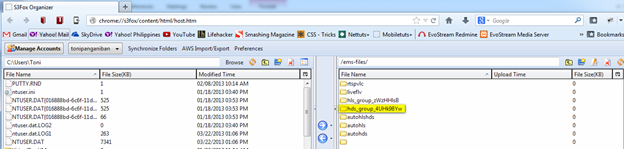
6. Check that the hls files are uploaded to Amazon S3 bucket
Expected Result: The hds chunk is uploaded to Amazon S3 bucket
|

Quick Links
Products
Features | Specifications | Download a Trial
Buy a License
Product List
Support
FAQ | Linux Guide | Windows Guide | Forum
Company
About Us | Contact Us | Latest News | Search


